

Why the Delivery Method Matters
When you tap play on a video or queue up a podcast, you probably don't think about what happens next. But your device is making a meaningful choice about how to retrieve and hold that content - and that choice affects your data usage, your storage, and what happens when your connection drops.
The three mechanisms - streaming, downloading, and caching - each solve a different problem. Understanding them isn't about being a tech expert. It's about using your phone, tablet, or laptop more deliberately so you're not surprised by a drained data plan or a video that stutters every 30 seconds.
For context on how your internet connection type affects all three of these behaviors, see our Broadband 101 explainer.
Streaming: Real-Time Delivery, No Storage Required
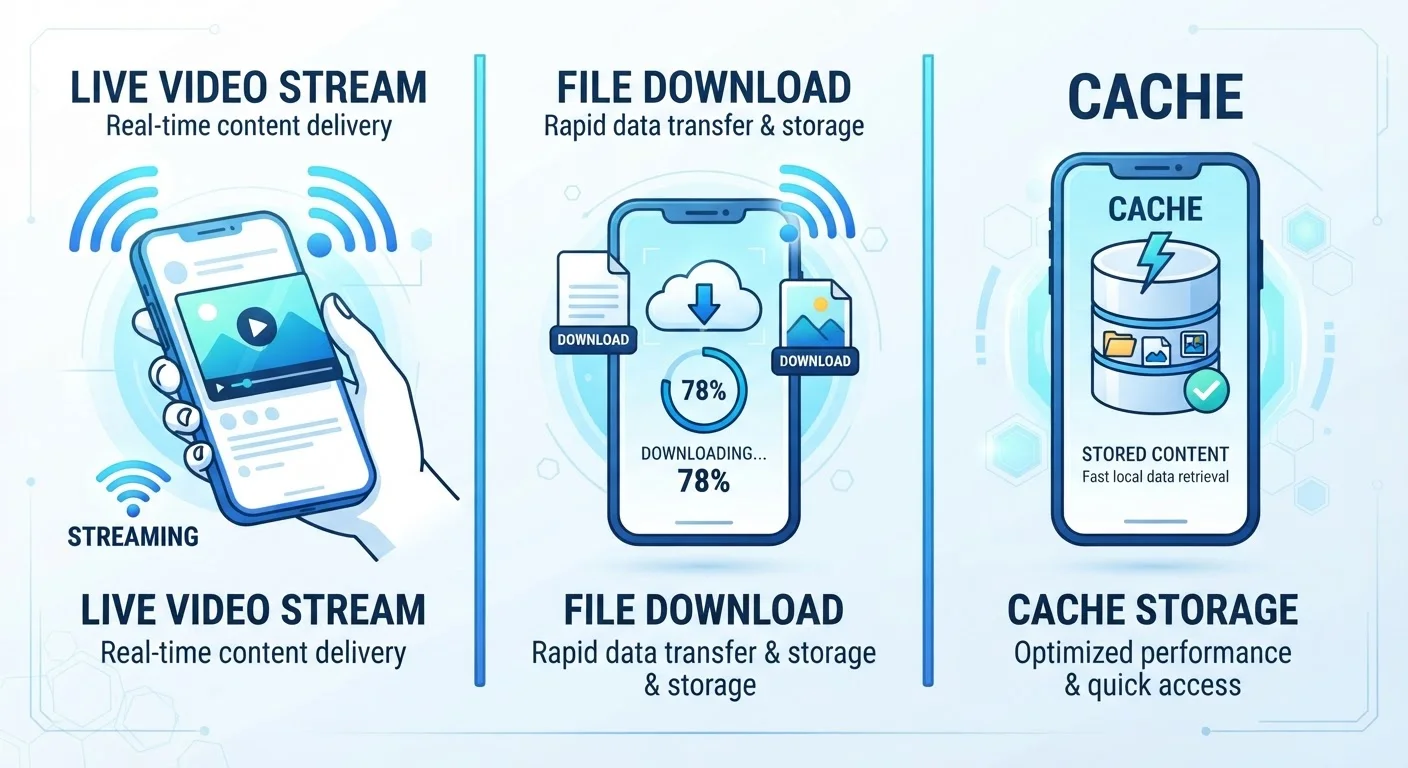
Streaming means your device requests and plays content in small, continuous chunks without saving it permanently. The data flows in, gets decoded by the player, renders on your screen, and is then discarded. You're not storing a 4GB movie file - you're receiving and consuming a few seconds of video at a time.
The trade-off is that streaming is highly dependent on a live connection. If your signal drops or your bandwidth narrows, the player either buffers (pauses to gather more data) or lowers the video quality automatically. Most services use adaptive bitrate streaming, which dynamically adjusts resolution based on your current connection speed.
Streaming counts against your mobile data or home internet data cap in real time. How much speed you actually need depends significantly on how many streams run simultaneously and at what quality level.
Streaming
A method of delivering media in real time, where data is received and played in small chunks without being saved permanently to the device.
Downloading
The process of transferring a complete file from a server to your device's local storage so it can be accessed later without an internet connection.
Caching
Temporary automatic storage of recently accessed data by an app or operating system, designed to speed up future access without using the full download process.
Adaptive Bitrate Streaming
A technology used by video platforms that automatically adjusts video quality up or down based on your current connection speed to minimize buffering.
Data Cap
A monthly limit on the total amount of internet data you can use before your provider reduces your speed or charges overage fees.
DRM (Digital Rights Management)
Technology applied by content providers to control how and when downloaded media can be played, including expiration dates on offline licenses.
Buffer
A temporary holding area where a streaming app pre-loads a few seconds of upcoming content to prevent playback interruptions during brief network fluctuations.
Downloading: Permanent Storage, No Connection Needed Later
Downloading transfers a complete file from a server to your device's local storage - the internal flash memory on your phone or the hard drive on your laptop. Once the download finishes, the content lives on your device. You can play it anytime, anywhere, with no internet connection required.
The cost is storage space and upfront data usage. A single HD episode of a TV show might consume 1-2 GB. Downloading a library of content can fill a device quickly. This is why understanding the difference between local and cloud storage is relevant - see our cloud vs. local storage explainer for how your device manages space.
Many streaming apps offer a "download for offline" feature. This is still a download in every technical sense - the file is written to your device storage - but the app may restrict how long it remains playable, typically through a digital rights management (DRM) license that expires after a set period.
Caching: Temporary Storage Your Device Manages Automatically
Caching sits between streaming and downloading. When your device caches content, it quietly saves recently accessed data in a temporary holding area - usually reserved memory or a dedicated cache folder - so it can be retrieved faster the next time you need it.
You don't manually initiate a cache. Your operating system, browser, or app does it automatically. When you reload a webpage, your browser checks its cache first. If the content hasn't changed, it loads the cached version instead of re-downloading from the server. This saves both time and data.
Some video apps pre-cache the next episode of a show you're watching while you finish the current one - so when you hit "next," playback starts instantly. Unlike a true download, cached files are not guaranteed to persist. The system can purge them at any time to free up space, and you generally can't browse or manage cached media directly.
If you've ever noticed your phone's storage creeping upward even though you haven't downloaded anything, accumulated app cache is a likely culprit. Most devices allow you to clear an app's cache without deleting the app itself.
Choosing the Right Method for Your Situation
Each method fits different circumstances. Streaming makes sense when you have a reliable connection and don't want to consume storage. Downloading is the right call before a flight, a long commute, or any stretch where connectivity will be limited or costly. Caching happens in the background and generally doesn't require any decision on your part - but understanding it helps you diagnose why apps sometimes take up more storage than expected.
Your data plan matters here too. If your wireless plan has a data cap or applies speed throttling after a threshold, heavy streaming eats through that allotment faster than you might expect. Reading your wireless plan carefully before committing helps you understand exactly when and how those limits apply.
Similarly, home internet plans often include data caps that streaming households frequently underestimate. Review your ISP contract's fine print to understand what counts against your cap and at what threshold speeds may be reduced.