

Key Takeaways
- Smart home devices require Wi-Fi and a smartphone app, but not technical expertise.
- Smart plugs, thermostats, and speakers are the most accessible starting points for new users.
- Most devices work out of the box following simple in-app setup steps.
- A stable home internet connection is the single most important foundation for any smart device.
- You do not need to automate everything - individual devices deliver value on their own.
Start here
What 'Smart Home' Actually Means
Next
The Devices Worth Starting With
Then
How These Devices Connect to Your Home Network
Finally
Setting Realistic Expectations
What 'Smart Home' Actually Means
A smart home is simply a home where some devices can be controlled remotely or automatically - usually through a smartphone app or a voice command. That is the whole concept. The word "smart" signals that a device has a wireless radio built in and can receive or send instructions beyond a physical switch.
Nothing about this requires specialized knowledge. The technology has matured to the point where most devices are genuinely consumer-grade: designed for people who want a useful result, not people who enjoy configuring networks. If you already use Wi-Fi at home, you have the infrastructure these devices depend on.
Wi-Fi
A wireless technology that lets devices connect to the internet through your home router without a physical cable.
Smart plug
A small adapter that fits into a standard wall outlet and lets you control power to whatever is plugged into it remotely via an app.
Firmware
Built-in software that runs on a device - like a thermostat or smart speaker. Manufacturers release updates to fix bugs or add features, usually delivered automatically through the device's app.
Voice assistant
A software program - accessed through a smart speaker or phone - that responds to spoken commands to play music, answer questions, or control smart devices.
Mesh network
A home Wi-Fi system that uses multiple access points placed around the house to provide consistent wireless coverage in every room.
For a deeper look at your home internet setup - the backbone of any smart device - see our guide to setting up a home internet connection without calling support.
The Devices Worth Starting With
Three categories consistently offer the most straightforward experience for first-time users.
Smart Plugs
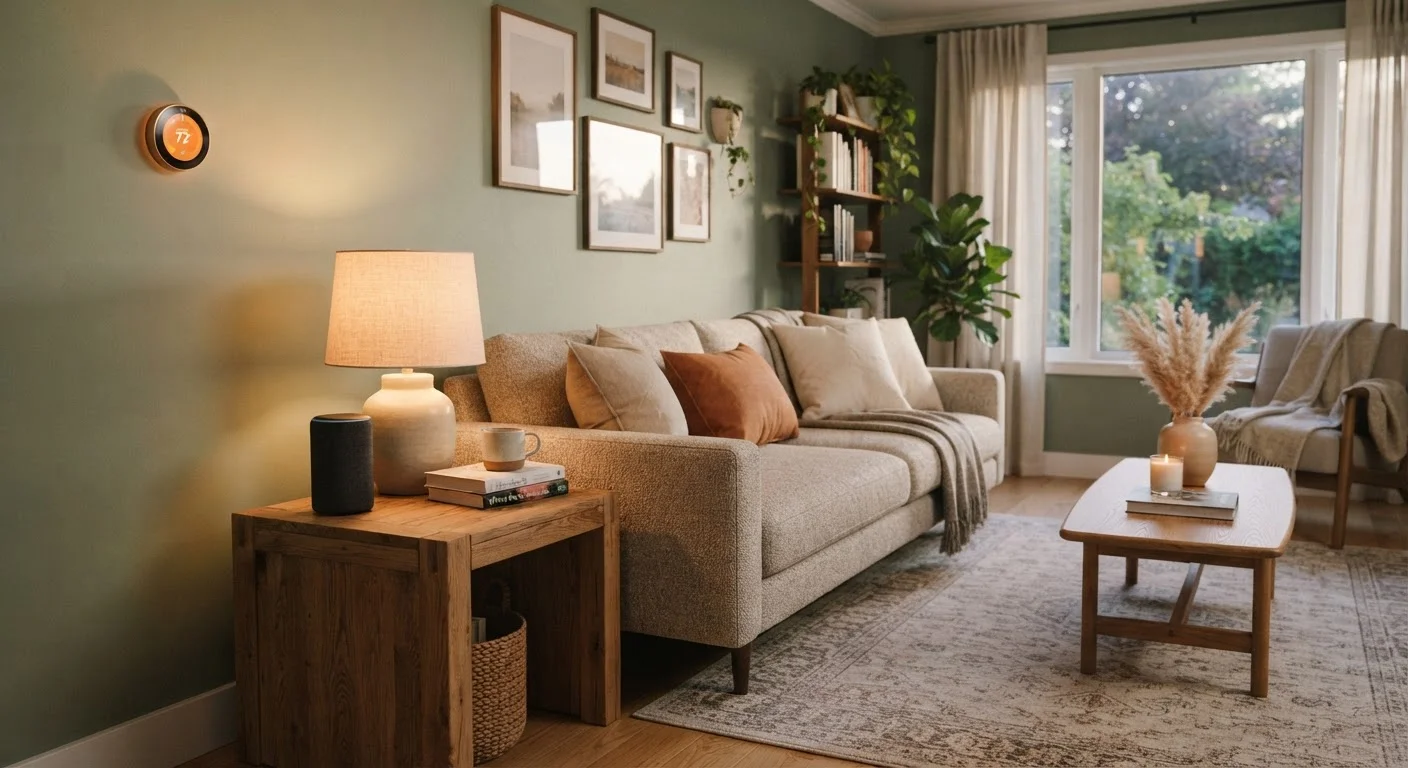
A smart plug sits between a standard wall outlet and whatever is plugged into it - a lamp, a fan, a coffee maker. Through an app, you can turn that outlet on or off from anywhere. Some plugs track energy use. Setup typically takes under five minutes and involves nothing more than plugging in the device and following the app. This is the easiest entry point because it adds capability to things you already own.
Smart Thermostats
A smart thermostat replaces your existing thermostat and allows you to adjust temperature remotely and set schedules automatically. Many learn your patterns over time and adjust on their own. Installation involves low-voltage wiring that most homeowners can manage, though some older heating systems require a compatibility check first - the manufacturer's website usually provides a tool to verify this before purchase. A well-configured thermostat can reduce energy use without any manual effort once the schedule is set.
Smart Speakers
A smart speaker responds to voice commands - playing music, answering questions, or controlling other smart devices in your home. They require only a power outlet and Wi-Fi. Beyond entertainment, a speaker can act as a central point to control compatible devices by voice, which removes the need to open an app each time. They are among the most approachable devices precisely because the interface is conversation.
Start With One Device, Not a System
Resist the urge to buy several smart home devices at once. Start with a single smart plug or smart speaker and get comfortable with how it works before expanding. Most people find the learning curve disappears quickly once they see how straightforward the setup process actually is.
How These Devices Connect to Your Home Network
Almost all consumer smart home devices use Wi-Fi or a short-range wireless standard called Zigbee. For everyday users, the practical difference is minor: Wi-Fi devices connect directly to your router the same way a laptop does, while Zigbee devices need a small hub that bridges the connection. Most beginners start with Wi-Fi devices to avoid the extra step.
The setup pattern is nearly identical across device types:
- Download the manufacturer's app on your smartphone.
- Plug in or install the device.
- Follow the in-app instructions to connect it to your Wi-Fi network.
- Name the device and begin using it.
If your Wi-Fi signal is weak in parts of your home, devices placed in those areas may respond slowly or drop connection. A Wi-Fi extender or mesh network system can help. Our home internet resource hub covers broadband options and connectivity basics in plain language.
Setting Realistic Expectations
Smart home devices are useful tools, not transformative systems requiring ongoing technical management. A few honest points help set the right frame:
- You do not need to automate everything. A single smart plug on a lamp you always forget to turn off delivers genuine value with no further complexity.
- Occasional updates are normal. Devices receive firmware updates through their apps - this happens in the background and rarely requires your attention.
- Internet outages affect remote features. Physical controls usually still work, but app and voice commands pause until your connection returns.
- Compatibility matters. If you use a voice platform like Amazon Alexa or Google Home, confirm a device supports it before buying.
Smart devices can also serve a practical home-awareness role. For example, a smart plug with energy monitoring can alert you to unusual appliance behavior. For a broader perspective on monitoring your home for early issues, see our article on reading your home like a pro. And if you are new to homeownership overall, the first-time homeowner's roadmap to routine upkeep is a practical companion guide.
Privacy Is Worth a Look
Smart speakers and cameras with microphones or lenses collect data as part of how they function. Most manufacturers publish privacy policies explaining what is collected and how it is used. Reviewing these before setup - and adjusting in-app privacy settings - gives you a clearer picture of what you are agreeing to.